
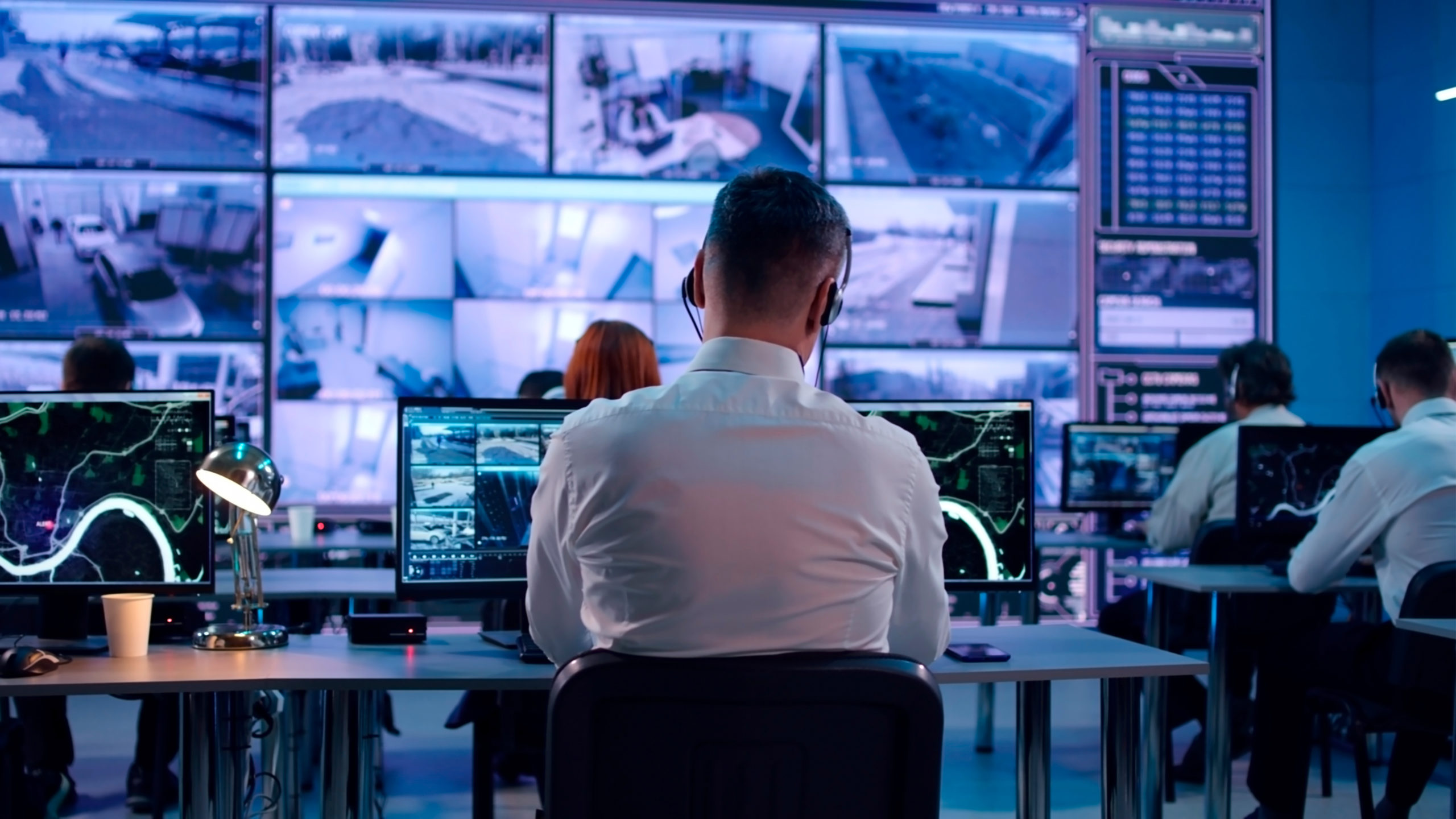
Under a supervision console designed fifteen years ago, there is rarely any legroom left. Computers are stacked underneath, one per application, fans whirring and cables everywhere. On the desktop, operators juggle four or five keyboards.
KVM over IP has done away with this setup in most modern control rooms. The technology sounds simple: send keyboard, video and mouse signals over a network. In practice, it is one of the areas where a project is won or lost, because it touches the network, security, ergonomics and operator comfort all at once.
Key takeaways
KVM stands for “Keyboard, Video, Mouse“. A transmitter unit plugs into the source computer. It captures the video output and USB ports, compresses them and sends them over the network. At the operator’s workstation, a receiver does the reverse: it displays the image and sends back every keystroke and mouse movement. For the user, the machine behaves as if it were right under the desk, even when it sits two floors down.
A KVM switch is the box that lets a user toggle between several PCs connected by short cables. It is typically found in server racks and on some desks.
A KVM extender, over copper or fiber, moves a single machine to a remote workstation over a fixed link. A KVM-over-IP matrix takes the concept further: any receiver can connect to any transmitter, based on permissions set by the administrator.
| Architecture | What it does | Where it fits |
|---|---|---|
| KVM switch | Switch between a few nearby PCs | Server rack, technical office |
| KVM extender | Move a machine away from its user | One-off remote setups, AV control booths |
| KVM-over-IP matrix | Route any source to any workstation | Control rooms, operations centers |
The first benefit is visible the moment anyone walks into the room. Once the computers have moved to the equipment room, the consoles fall silent, the temperature drops and operators get their space back. Maintenance changes too: a technician can swap out a PC without disrupting anyone, or having to apologize for crawling under a desk in the middle of an on-call shift. This ties in with control center design requirements. ISO 11064-3 governs control room layout, including workstation arrangement, shared displays and maintenance. A console freed of its computers is far easier to design along those principles.
The second benefit concerns how operators work. With one keyboard per machine, input errors are inevitable, especially during an incident when several alarms go off at once. A matrix brings everything back to a single set of peripherals. On recent systems, operators simply move the mouse from one screen to the next and the keyboard follows the source on display. They no longer have to think about the hardware.
The third benefit is less visible, but it carries real weight in day-to-day operations. According to the Uptime Institute, nearly 40% of organizations have suffered a major outage caused by human error over the past three years, and the share of these incidents linked to procedures not being followed rose by ten points between 2024 and 2025 (source: Uptime Institute, Annual Outage Analysis 2025). KVM does not eliminate human error. What it does is reduce the opportunities for mistakes: role-based permissions, logged connections, and instant failover to another workstation when an operator’s own goes down.
On paper, KVM over IP runs on any Ethernet network. In the field, it is the number one source of disappointment. A matrix serving around twenty workstations carries dozens of video streams at all times, often in 4K, sometimes sent to several receivers simultaneously. Multicast becomes essential, and with it, rigorous switch configuration, IGMP snooping in particular. Without it, streams flood the network and images start to stutter.
The question of a dedicated network comes up on every project. Sharing it with the rest of the infrastructure cuts costs, but demands strict discipline on VLANs and quality of service. In a 24/7 operations center, most designers prefer a physically separate network, with redundant switches and power supplies. The extra cost is modest compared with a control room going blind in the middle of a crisis.
One last point is often overlooked: choosing between 1 and 10 Gb per link. The answer depends on resolutions, the number of screens per workstation and the amount of moving video. Oversizing costs a little more at installation. Undersizing costs a lot more two years later, when the room expands.
Carrying a 4K image over a gigabit link means compressing it. Professional solutions use so-called visually lossless algorithms, which keep fonts and synoptic diagrams sharp. This is non-negotiable: an operator must be able to read a pressure value or an alarm label without squinting.
Latency should be judged against the use case. On a dashboard or a SCADA interface, it goes unnoticed. On a video surveillance feed, or when an operator steers a PTZ camera with a joystick, just a few frames of delay are enough to make movements imprecise. Manufacturers’ figures are measured under ideal conditions. It is better to test them with the site’s actual applications, on the actual network.
Then come the details that never make it to the top of a datasheet. EDID management, which tells the source the display’s resolution, prevents badly framed images after switching. Full USB support, not just for keyboards and mice, matters as soon as a workstation uses a headset, an intercom microphone or a badge reader. Finally, audio transport is a key consideration for emergency call centers and crisis rooms.
A KVM system provides control over a site’s most sensitive machines: industrial supervision, access control, video surveillance. Anyone who takes over the system does not need to hack each application. A receiver and the right permissions are all it takes.
Security therefore has to be built in from the design stage. Streams must be encrypted, users authenticated and every connection logged. Access profiles should be defined role by role, rather than giving everyone access to everything to save time during commissioning. Transmitter and receiver firmware belongs in the update plan, just like workstations. In industrial settings, these rules fall under the IEC 62443 standard, covered in the article on securing industrial control rooms.
KVM is only one piece of the puzzle. An operator who spots an event at their workstation must be able to share it with the whole room, sending it to the video wall in a single action. That requires the KVM matrix, the wall controller and the control system to communicate properly. The same goes for hypervision tools, which aggregate alarms and must take the operator to the right source at the right time.
This is also why furniture is part of the equation. The number of screens per console, their height, cable routing to the receivers: all of it is decided alongside the KVM architecture. When these work packages are handled separately, incompatibilities surface on commissioning day and are rarely cheap to fix.
The same pitfalls come up from one project to the next. The most common is choosing from a catalog: two solutions that look alike on paper can behave very differently with a video surveillance client or a legacy business application. A demonstration on the site’s real sources, before placing the order, heads off plenty of surprises.
Redundancy is often addressed too late. A single matrix manager becomes a single point of failure for the entire room, even if every workstation is otherwise duplicated. It is also important to plan for the KVM network itself going down, and to know how operators will work in that degraded mode.
Finally, needs evolve faster than expected. A ten-workstation room often has fifteen a few years later, with new sources to integrate. A scalable architecture, with headroom on both the network and licenses, protects the investment.
IT teams regularly raise the question: why not just use remote desktop? For occasional administration, software access does the job. For round-the-clock control room operations, hardware quickly comes out ahead.
| Solution | Strengths | Weaknesses | For critical operations |
|---|---|---|---|
| KVM-over-IP matrix | OS-independent, responsive, fully logged | Upfront investment, network to design | Recommended |
| Fiber or copper KVM matrix | Minimal latency | Dense cabling, limited scalability | Suited to existing sites |
| Remote desktop (RDP, VNC) | Low cost, no hardware | Depends on the OS and session, larger attack surface | Not recommended |
Hardware KVM has one decisive advantage: it keeps working even when the source machine crashes, reboots or displays its BIOS. Software access, on the other hand, disappears along with the very system it is supposed to control.
The line between AV and IT is fading. KVM, video and audio streams now share the same infrastructure, managed by the same teams. Some manufacturers have embraced this shift: Barco presents its Barco CTRL platform as a “KVM over IT” approach that goes beyond simple KVM over IP (source: Barco). The idea is to give operators a single workspace where physical machines, virtual desktops and video sources sit side by side.
Access to virtual machines is likely to become widespread in the coming years, as applications move to data centers. Cybersecurity, meanwhile, carries more and more weight in specifications. And open AV-over-IP standards, discussed in the article on the NDI protocol, are pushing the market toward more interoperable equipment.
For site owners and operations teams, these trends strengthen the case for an integrated design approach. Motilde supports this type of project as part of its control room design services, from signal flow analysis through to commissioning, working with several manufacturers including Adder, Matrox and Barco. The choice of solution is driven by the site’s constraints, not by a catalog.
It is a technology that transmits a computer’s keyboard, video and mouse signals over an IP network. It allows a machine to be operated remotely as if it were at the operator’s workstation, with no distance limitation. It is widely used in control rooms, operations centers and broadcast facilities.
A KVM switch connects a few nearby computers to a single workstation through direct cables. KVM over IP runs over the network: each workstation can access any authorized source, wherever it is located in the building, with centralized permission management.
For a control room, it is the safest option. A separate network guarantees stable performance and isolates sensitive streams. A shared network remains possible, provided VLANs, multicast and quality of service are fully under control.
Not at all. KVM is also the name of a virtualization hypervisor built into Linux. KVM over IP is solely about carrying keyboard, video and mouse signals between computers and workstations.
KVM over IP has transformed control rooms: clutter-free consoles, more focused operators, and maintenance without service interruptions. Yet its benefits depend less on the hardware chosen than on everything around it. The network, security, video wall integration and consistency with the furniture are what determine the quality of the installation. With workstation virtualization and the convergence of AV and IT, KVM over IP is becoming a fully fledged part of the information system, and its role in operations centers is set to keep growing.

Copyright © 2026. MOTILDE. All rights reserved.