
An operator wincing after three hours on shift, a poorly placed screen that forces a twisted neck, a cable that’s been trailing under the desk for six months because nobody thought about the wiring beforehand: these are the details that, once they pile up, end up weighing on a control room’s performance. And more often than not, the problem isn’t the room itself, but the control console inside it, that individual workstation where the operator spends most of their time.
This guide zeroes in on exactly that: the control console. Its precise definition, its role, its various formats, and the criteria for choosing one well.
Key takeaways
Before going any further, the vocabulary needs to be clarified. On the ground, these terms get mixed up constantly, which ends up muddying specifications and communication between technical teams and decision-makers.
The control console refers to an operator’s individual workstation: desk, work surface, the screens directly attached to it, the chair, the physical controls within reach. It’s the exact spot where a person sits, observes, decides, and acts.
It’s a piece of technical furniture, built for intensive use. It can stand alone or be replicated, depending on whether the room has a single operator or several consoles lined up side by side.
The control room, on the other hand, refers to the space as a whole. It brings together one or more control consoles, along with lighting, acoustics, air conditioning, circulation areas, and sometimes a video wall. It operates at the scale of the building, not the furniture.
In other words, a control console is never designed independently of the control room that houses it, but the two terms shouldn’t be used as if they meant the same thing. A control room fit-out project includes choosing the control consoles, without being limited to that.
The video wall is a shared display system, usually positioned facing one or more control consoles. It offers a big-picture view, consulted collectively by the operators present in the room.
The control console and the video wall often work in tandem, but they’re two distinct pieces of equipment with different functions. One is for individual action and close-up viewing; the other is for a shared, overall view.
The control console is sometimes treated as a secondary concern in a control room project, almost an afterthought compared to the technical and software challenges at stake. That’s a mistake that catches up with you sooner or later.
An operator who spends eight hours, sometimes more, at their control console needs furniture matched to their body. A desk height that’s off, a viewing angle that’s too high or too low, and the aches set in fast: neck, shoulders, back.
That discomfort doesn’t stay confined to the body. It eats into concentration, drives up the error rate, and speeds up fatigue by the end of a shift. A chair suited to round-the-clock use, a height-adjustable work surface, well-positioned screens: these choices concretely reduce that risk, right at the level of the console itself.
In a control room, every second counts once an alert comes in. That response time depends on the information system, but also, very concretely, on how the control console was designed.
A well-designed console cuts out unnecessary handling. Access to the controls needs to be instant, and screen readability has to be flawless. When a video wall is part of the room, the console’s position relative to that shared display also needs to be worked out from the start, to avoid any wasted movement in a critical moment.
There’s no one-size-fits-all control console. The choice depends on the activity being carried out, the layout of the control room, and the number of operators who’ll be rotating through it.
This is the quintessential all-purpose format. It comes in many sizes and comfortably accommodates several screens. It suits generalist control rooms well, where needs aren’t especially specific.
Its main strength is price. Its limits show up quickly in equipment-dense environments, where it soon feels cramped.
Two control consoles installed side by side, sometimes back to back, sometimes facing each other depending on the room’s layout. This format makes cable management easier and saves space, a real consideration in rooms where every square meter counts.
It’s common in trading rooms, where several operators work continuously on the same information feeds, each from their own console.
Here, the work surface sits slightly lower than the operator’s natural line of sight. The result: an unobstructed view toward the room’s video wall, without the console itself getting in the way.
This setup is common in control rooms where the shared view, carried by the video wall, takes priority over the individual use of each screen at the console.
An enveloping format, designed to offer a panoramic view without requiring constant neck rotation. It’s particularly well suited to consoles that call for simultaneous monitoring of multiple sources, directly on the console’s own screens.
It’s often paired with modular, height-adjustable units, allowing operators to switch between sitting and standing throughout the day, a detail that matters more than one might expect over a twelve-hour shift.
Before diving into buying or designing a control console, several criteria deserve serious attention.
Ergonomics comes first, and not just the chair. Work surface height, screen tilt, reading distance, accessibility of physical controls: all of it matters. A simple rule of thumb: when the room has a video wall, the operator should never have to tilt their head up more than seven degrees from their console to view it. It’s a small technical detail, but it makes a real difference to long-term comfort.
Next comes the console’s own technical integration. A good control console absorbs cabling, power supplies, and network connections without friction. Cable trays centered on the work surface, for instance, allow immediate, secure access to connections. This needs to be planned from the design stage; adding it in afterward complicates everything, and the result suffers both visually and functionally.
Modularity matters too, often more than anticipated at the outset. A control room’s needs evolve: new equipment, changing staff numbers, shifting processes. A modular console lets you adjust the setup without rebuilding everything. It’s a choice that pays off over time, particularly for organizations engaged in an ongoing digital transformation of their tools.
Finally, acoustics and lighting in the room play a role that’s too often underestimated, even though they don’t depend directly on the console itself. A noisy or poorly lit control room wears out an operator much faster, no matter how much care went into their workstation. These ambient factors need to be addressed upstream, in line with the choice of consoles.
A control console never functions in complete isolation. It fits into a broader environment, that of the control room, without blending into it.
In many projects, each console is positioned and oriented based on the video wall installed in the room. This complementary setup lets the operator combine a big-picture view, displayed collectively on the wall, with precise data consulted on their own screens. It’s this interplay between the individual and the collective that structures modern supervision, where several layers of information coexist without stepping on each other.
When a control room adopts a hypervision approach, the control console becomes the point of contact between the operator and consolidated data flows, often coming from systems that differ significantly from one another. This approach is gaining ground in critical infrastructure management, where the growing number of sensors and connected devices seriously complicates the work if nothing is centralized upstream.
Certain pitfalls recur from one fit-out to the next, sometimes with heavy consequences.
Control console requirements shift noticeably from one industry to another.
In energy, consoles need to absorb a large volume of real-time data flows, sometimes from sites spread across great distances. Reliability and system redundancy take priority over everything else.
In transportation, there’s no margin for error when it comes to responding to incidents. Curved consoles, paired with the control room’s video wall, are often favored for giving a panoramic view of the network being monitored.
In finance, trading floors lean heavily on the bench format, designed to accommodate multiple screens per operator while making the most of floor space.
In security and video surveillance, finally, console ergonomics become decisive, since operators need to maintain constant vigilance over extended hours, often watching both their screens and the room’s video wall at once.
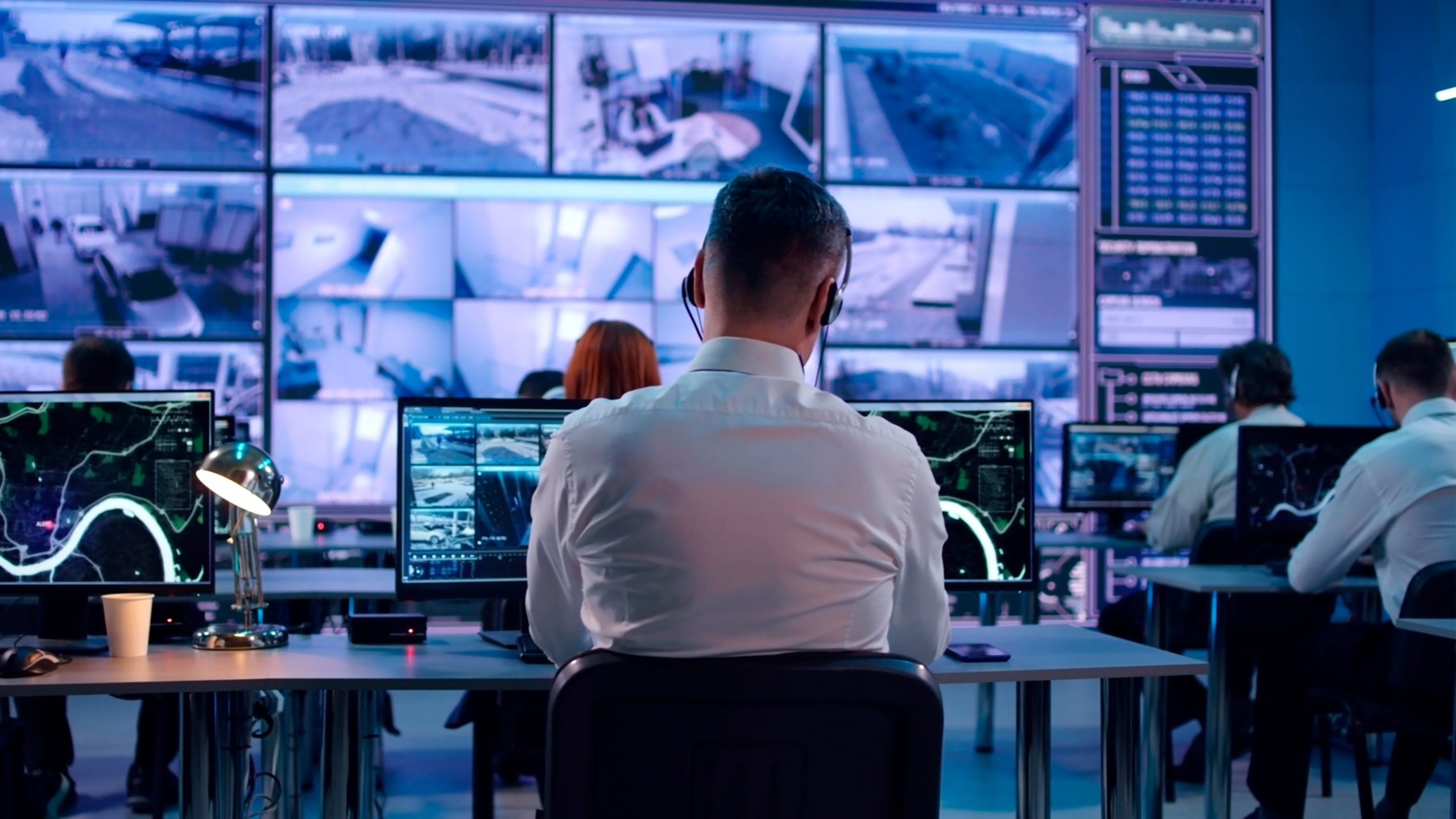
The control console is an operator’s individual workstation. The control room is the overall physical space that can house one or more control consoles, along with other equipment like a video wall.
No. The video wall is a shared piece of equipment, especially relevant in control rooms that need a view shared among several operators. A control console can work perfectly well on its own, without an associated video wall, depending on the activity involved.
It mostly depends on the level of ergonomics, modularity, and technical integration wanted for the console itself. A basic console remains affordable. A custom-built unit for a critical environment, with a chair suited for 24/7 use and advanced cable management, represents a bigger budget.
A few concrete steps are often enough: installing an adjustable chair suited for continuous work, adjusting the height and tilt of the console’s screens, adding modular mounts, and checking that the viewing angle to any video wall stays comfortable day to day.
A quality console, built with sturdy materials like steel or aluminum, holds up for several years without issue. Its modularity often allows it to be adapted to new needs without a full replacement, which extends its useful life even further.
The control console is far more than a simple piece of furniture. It’s the point where the operator, information, and decision-making converge, often under pressure. Still, it remains one element among others within a control room, alongside the video wall and the full set of technical equipment that makes up the space.
Ergonomics, technical integration, modularity, and consistency with the rest of the room: each of these criteria carries real weight in the success of a control console project. Ongoing developments, artificial intelligence, growing cybersecurity requirements, don’t replace this basic need. If anything, they’re a reminder of just how much a well-designed control console, distinct yet fully integrated into its control room, remains a solid investment for supporting the evolution of critical infrastructure in the years ahead.

Copyright © 2026. MOTILDE. All rights reserved.